Best AI App Builder for Non-Developers
Last updated: 2026-06-28
AI app builders make it easier to build websites, web apps, prototypes, and internal tools without starting as a software engineer. But “no coding required” does not mean “no thinking required.” You still need to define the problem, write clear prompts, test the workflow, and understand what the tool can and cannot do.
This guide compares the best AI app builders for non-developers, founders, marketers, creators, and small business owners.
Quick answer
| User type | Best tools to compare |
|---|---|
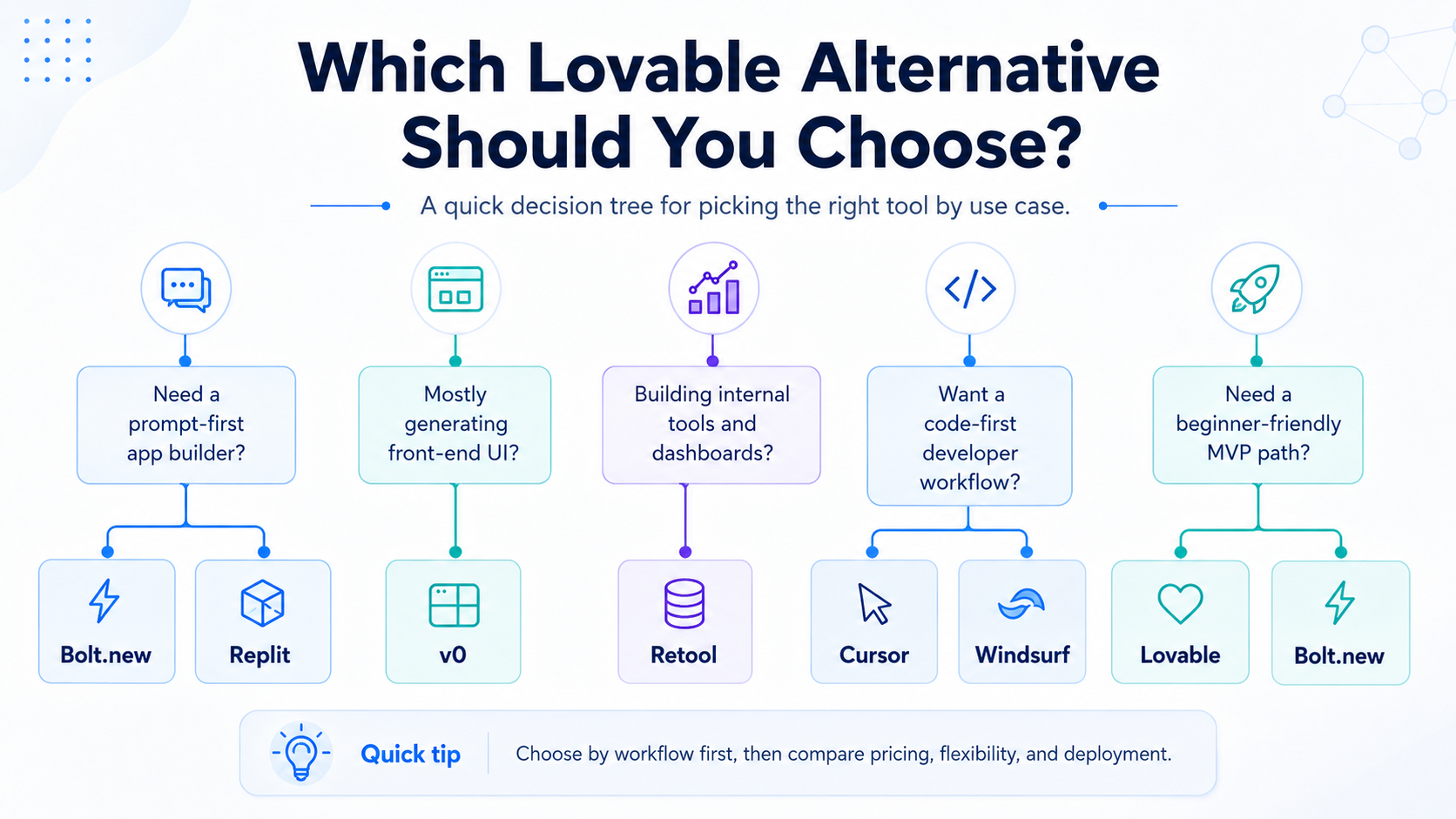
| Non-technical founder building an MVP | Lovable, Replit, Bolt.new |
| Small business owner building a site or simple app | Macaly, Lovable, Bolt.new |
| Marketer building landing pages | v0, Macaly, Bolt.new |
| Operations person building internal tools | Retool |
| Beginner who wants to learn while building | Replit |
What non-developers should look for
The best AI app builder for a non-developer should make the first version simple, but it should also help you understand what is happening.
Look for:
- Plain-language prompting
- Easy editing
- Fast publishing
- Clear limits
- Good templates or examples
- Ability to connect data safely
- Export or handoff options
- Helpful error messages
Avoid choosing only based on hype. The best tool is the one that fits your project type.
Best AI app builders for non-developers
1. Lovable
Lovable is a strong choice for non-developers who want to describe an app idea and generate a working web application. It is especially useful when you want to think in product flows rather than code files.
Best for:
- App ideas
- SaaS prototypes
- Founder MVPs
- Customer portals
- Lightweight web apps
Why non-developers like it:
- Natural-language workflow
- App-focused generation
- Faster starting point than hiring a developer for a rough prototype
Watch out for:
- Credits and plan limits
- Security and data review
- Complexity as the app grows
2. Macaly
Macaly is designed for founders, marketers, and creators who want to go from prompt to live website or web app. It is especially relevant when the project is closer to a business website, landing page, or simple web product.
Best for:
- Small-business websites
- Founder landing pages
- Marketing sites
- Simple web apps
Why non-developers like it:
- Business-oriented workflow
- Hosting and web presence features
- Designed for users who do not want deep technical setup
Watch out for:
- Verify feature depth before using it for complex apps
- Confirm export, domain, analytics, and pricing details
3. Replit
Replit is useful for non-developers who want to build with AI while also learning how the project works. Replit Agent can generate apps and websites from natural language, while Replit provides a cloud coding environment for continued editing.
Best for:
- Learning while building
- Small apps
- Web experiments
- Projects where a developer may help later
Why non-developers like it:
- No local development setup
- AI agent plus online workspace
- Good bridge between no-code and coding
Watch out for:
- Debugging can still become technical
- Beginners may need guidance on deployment and errors
4. Bolt.new
Bolt.new can work well for non-developers who are comfortable with a more technical-feeling environment. It is useful when you want to prompt, run, edit, and deploy from a browser.
Best for:
- MVPs
- Web apps
- Technical founder workflows
- Users who want more control than a simple website builder
Why non-developers may like it:
- Fast prompt-to-project flow
- Browser-based building
- More direct project editing
Watch out for:
- It may feel more developer-oriented than Lovable or Macaly
- Complex projects still need code review
5. v0
v0 is useful for non-developers who need strong web interfaces, landing pages, dashboards, or visual product screens. It may be especially useful for founders and marketers who can describe the UI they want.
Best for:
- Landing pages
- Dashboards
- UI prototypes
- Frontend-heavy products
Why non-developers may like it:
- Fast interface generation
- Publishable web output
- Strong fit for visual web projects
Watch out for:
- Backend needs may require extra setup
- Web development context helps
6. Retool
Retool is the best option here when the non-developer is not building a public app, but an internal tool for a team.
Best for:
- Operations dashboards
- Admin panels
- Support tools
- Business workflows
- Data-connected internal apps
Why non-developers may like it:
- Built for business workflows
- Strong data and governance orientation
- Useful for operations teams
Watch out for:
- It may be too advanced for a simple public app
- Internal data access must be handled carefully
Best choice by project type
| Project | Recommended starting point |
|---|---|
| I have a SaaS idea | Lovable, Bolt.new |
| I need a landing page | v0, Macaly |
| I need a small-business website | Macaly, Lovable |
| I need an internal admin tool | Retool |
| I want to learn coding while building | Replit |
| I want more control over the generated project | Bolt.new, Replit |
Prompting tips for non-developers
A weak prompt says:
> Build me a booking app.
A stronger prompt says:
> Build a booking app for a small photography studio. Users should see available time slots, submit their name and email, choose a package, and receive a confirmation page. The owner should have an admin view to see upcoming bookings and mark them as confirmed.
Include:
- Who the app is for
- The main user flow
- The required pages
- What data needs to be saved
- What the admin needs to see
- What should happen after submission
FAQ
Can a non-developer build an app with AI?
Yes, a non-developer can use AI app builders to create prototypes and simple apps. However, real apps still need testing, security review, and maintenance.
What is the easiest AI app builder for non-developers?
Lovable and Macaly are good starting points for non-developers. Replit is useful if you want to learn while building. Retool is better for internal tools.
Do I still need a developer?
For a simple prototype, maybe not. For a production app with payments, sensitive data, user accounts, or business-critical workflows, developer review is strongly recommended.