Best AI Internal Tool Builder in 2026: Retool vs General Builders
Last updated: 2026-07-18
Quick Answer
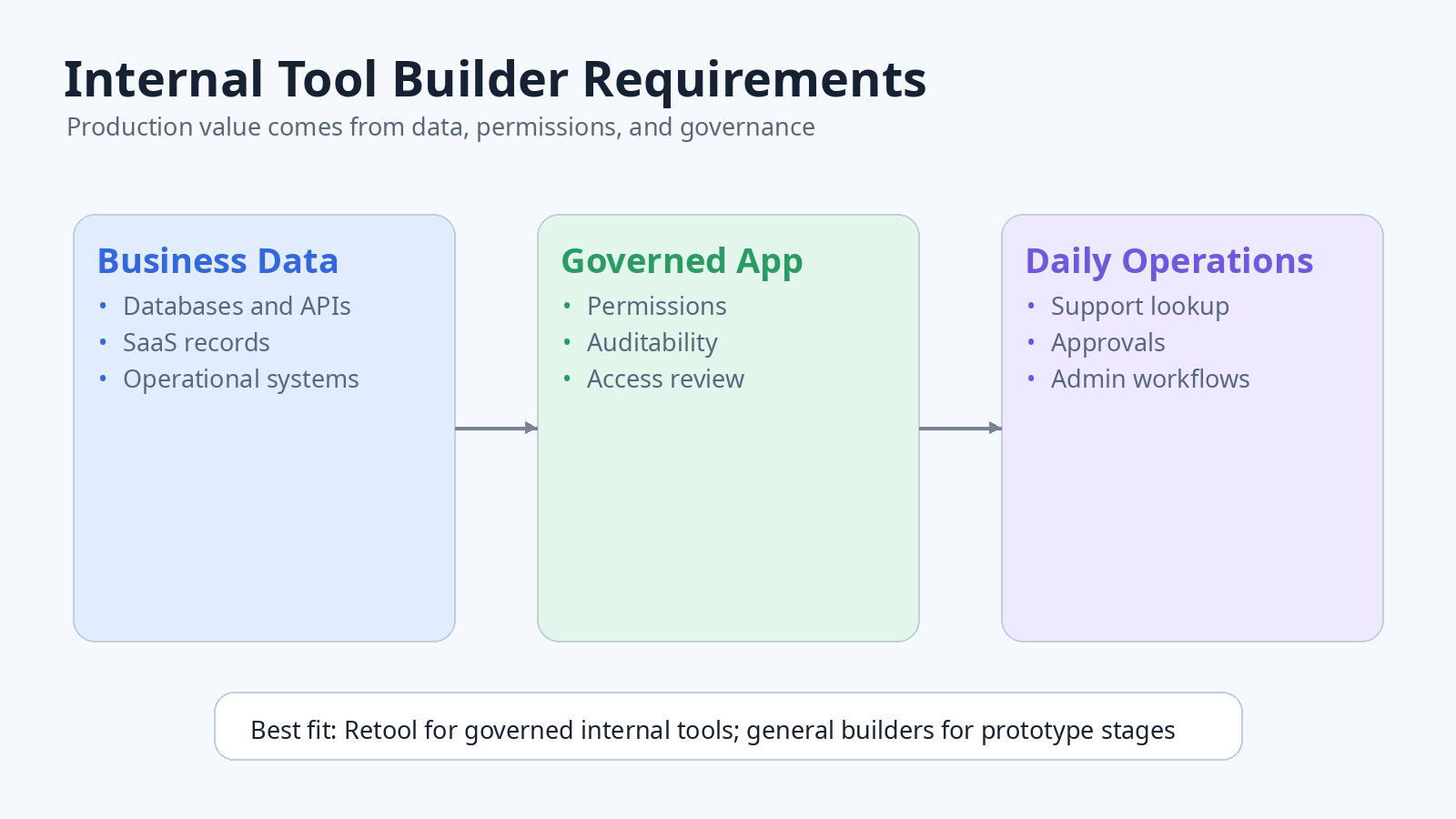
The best AI internal tool builder for most production business workflows is Retool because it is built around data connections, permissions, governance, and operational software. Lovable, Bolt.new, Replit Agent, and v0 can still be useful, but they are better for prototypes, customer-facing MVPs, UI exploration, or custom web apps.
If your app is an admin panel, support dashboard, approval queue, CRM helper, reporting console, inventory screen, or workflow tool used by employees, the main decision is not visual design. The main decision is whether the builder can safely connect to data and support real operational use.
Internal Tool Requirements
| Requirement | Why it matters |
|---|---|
| Data connections | Internal tools usually need databases, APIs, spreadsheets, or SaaS systems |
| Permissions | Different teams need different access levels |
| Auditability | Admin actions may need review later |
| Reliability | Operators depend on the tool during daily work |
| Maintainability | The tool will change as the business process changes |
| Security review | Internal tools often touch sensitive business data |
Recommended Tool by Internal Tool Type
| Internal tool type | Best starting point | Secondary option |
|---|---|---|
| Admin panel for business data | Retool | Replit Agent |
| Support lookup console | Retool | Lovable |
| Approval workflow | Retool | Bolt.new |
| Reporting dashboard | Retool | v0 for UI first |
| Lightweight prototype for one operator | Lovable | Replit Agent |
| Custom internal app with developer support | Replit Agent or Bolt.new | Retool |
| UI concept for an internal dashboard | v0 | Retool |
Why Retool Often Wins for Internal Tools
Retool is built for internal software rather than generic app demos. That matters because internal tools usually start simple and become important quickly. A quick customer lookup screen can turn into a support workflow. A dashboard can become a daily operating surface. An approval form can become part of a compliance trail.
Use Retool when:
- The app connects to company databases or APIs.
- Operators need different roles or permissions.
- The tool will be used repeatedly by employees.
- You care about governance before the tool spreads internally.
- You want AI app generation but still need business software controls.
Retool is not always the fastest way to explore a consumer product idea. But for internal tools, the tradeoff is often worth it because the boring requirements are the real requirements.
When Lovable Is Enough
Lovable can be a good choice for an internal tool prototype when you are still defining the workflow. It is useful when a product manager, founder, or operator wants to turn a process idea into a visible working app before involving the engineering team.
Use Lovable when:
- The workflow is not yet clear.
- You need to show stakeholders what the tool could do.
- The data can be mocked during discovery.
- The tool is not yet relied on for production work.
Move beyond a prototype when the app starts handling real records, user permissions, approvals, or customer data.
When Bolt.new Makes Sense
Bolt.new is useful when you want a more hands-on web app build and you have someone who can review the generated code. For internal tools, that usually means a developer, technical founder, or engineering-adjacent operator is involved.
Use Bolt.new when:
- You want a custom codebase rather than a platform-managed internal tool.
- You need more flexibility than a low-code internal tool builder.
- You can review data flows, authentication, and deployment.
- The tool may become part of a broader custom system.
For a broader alternatives page, see Bolt.new alternatives.
When Replit Agent Makes Sense
Replit Agent is a strong option when you want to build, run, edit, and host a custom internal app in a broader development environment. It can be useful for lightweight admin apps, prototypes, and custom workflows where a technical reviewer can step in.
Use Replit Agent when:
- You want a project workspace, not only a prompt builder.
- The app may need custom backend logic.
- You want to keep iterating after the first build.
- A developer may eventually maintain the project.
For a founder-focused comparison, see Lovable vs Replit Agent.
When v0 Helps
v0 is best used for internal tool UI exploration: dashboard layouts, table-heavy interfaces, settings screens, forms, analytics pages, and admin flows. It is less likely to be the complete answer when the work depends on live company data and permissions.
Use v0 when:
- You need a clear internal dashboard design.
- You want a React-friendly UI starting point.
- You need to align stakeholders on the interface before building.
- The backend and governance path will be handled elsewhere.
For a UI-first comparison, see v0 vs Bolt.new.
Internal Tool Checklist
Before choosing any AI app builder, answer these questions:
- What systems does the tool need to read from or write to?
- Who can view, create, update, or delete records?
- What actions need an audit trail?
- What happens if the AI-generated logic is wrong?
- Who owns maintenance after the first version?
- Does the tool need approval from security, IT, or operations?
- Can the process tolerate downtime or incorrect data?
Tool Selection Matrix
| Use case | Retool | Lovable | Bolt.new | Replit Agent | v0 |
|---|---|---|---|---|---|
| Production internal app | High | Medium | Medium | Medium | Low |
| Mocked workflow prototype | Medium | High | High | High | High |
| Data-heavy admin console | High | Medium | Medium | Medium | Medium |
| Custom app with code ownership | Medium | Medium | High | High | High |
| Governance-first rollout | High | Medium | Medium | Medium | Medium |
| Visual dashboard concept | Medium | High | Medium | Medium | High |
Final Verdict
Choose Retool when the internal tool will touch real business data, permissions, or daily operations. Choose Lovable or Replit Agent when the main job is rapid workflow discovery. Choose Bolt.new when a technical person wants a custom app path. Choose v0 when the immediate need is internal dashboard design rather than production operations.
For a broader starting point, compare the best AI app builders. If the product is a public validation experiment rather than an employee tool, use the best AI MVP builder guide.
FAQ
What is the best AI internal tool builder?
Retool is the best first evaluation for data-connected admin panels, dashboards, approval queues, and operational apps. General AI app builders can be faster for prototypes, but production internal tools usually need stronger permissions, governance, and audit controls.
Can AI build an internal admin panel?
Yes. AI builders can generate forms, tables, dashboards, and workflow logic. Before production use, verify every data write, permission boundary, destructive action, and audit requirement with real test cases.
Should I use Retool or Lovable for an internal tool?
Use Retool when the app touches real company data or daily operations. Use Lovable when you are still discovering the workflow and can work with sample data. See the detailed Retool vs Lovable comparison.
When should I build a custom internal tool?
Choose a custom code path when the workflow, security model, integration, performance, or user experience cannot fit a managed internal-tool platform. Make sure a developer owns deployment and maintenance after the initial AI-generated build.